Weekly Planning
The central planning surface: organize the week as a concrete operating unit instead of a loose pile of tasks.

Project
Desktop-first planning workspace for goals, weeks, habits, calendar blocks, and AI-assisted organization.
Personal planning breaks down when the system is split across too many surfaces.
Goals live in one place. Weekly planning lives somewhere else. Habits become a separate tracker. Calendar blocks sit in a calendar app. Email keeps pulling attention back into the inbox. The result is not a planning workflow. It is a collection of disconnected reminders.
Generic productivity apps can fail from the other direction. They become heavy enough to avoid, or abstract enough that they stop helping with daily execution. A task list is not the same as a week. A week is not the same as a goal system. A calendar block is not the same as a habit.
AI assistance is only useful if it attaches to structure. A floating chatbot can suggest plans, but it does not become the place where the user’s week, goals, habits, calendar, and email workflow actually live.
OmniPlanner is a desktop-first local planning workspace.
The app is aimed at the practical overlap between weekly structure, goals, habits, calendar blocks, email, and optional AI support. It treats planning as a working surface instead of a passive database.
The product direction is close to an “executive life OS” style app, but grounded in local workflows: open the desktop app, see the planning system, adjust the week, and use AI as assistance inside that structure rather than as the entire product.
The central planning surface: organize the week as a concrete operating unit instead of a loose pile of tasks.
Goal structure gives the week direction and keeps planning tied to longer-running intent.
Time blocks connect plans to execution windows, making the schedule part of the planning workflow.
Habit tracking keeps recurring behavior visible beside goals and weekly execution.
Email is treated as part of the organization surface instead of a separate attention trap.
AI support belongs inside the planning system, helping organize and reason over structure without replacing user ownership.
App data is stored locally on the device, and the project is built as a desktop app rather than a browser-only planner.
run.bat provides the launch path, while create-shortcut.bat creates a desktop shortcut. The launcher installs dependencies on first run, builds if needed, then opens Electron.
OmniPlanner is a working desktop app and active secondary project.
The Windows launch flow exists: the top-level scripts route into the app folder, run.bat launches the app, and create-shortcut.bat creates a desktop shortcut. The app stores data locally on the device. The project also has developer commands for install, build, launch, Vite dev server, and Electron start flows.
This is not being presented as a polished public release. Public polish, packaging, and deeper documentation are still ongoing work unless the repo proves otherwise.
Screenshots / Demo Proof
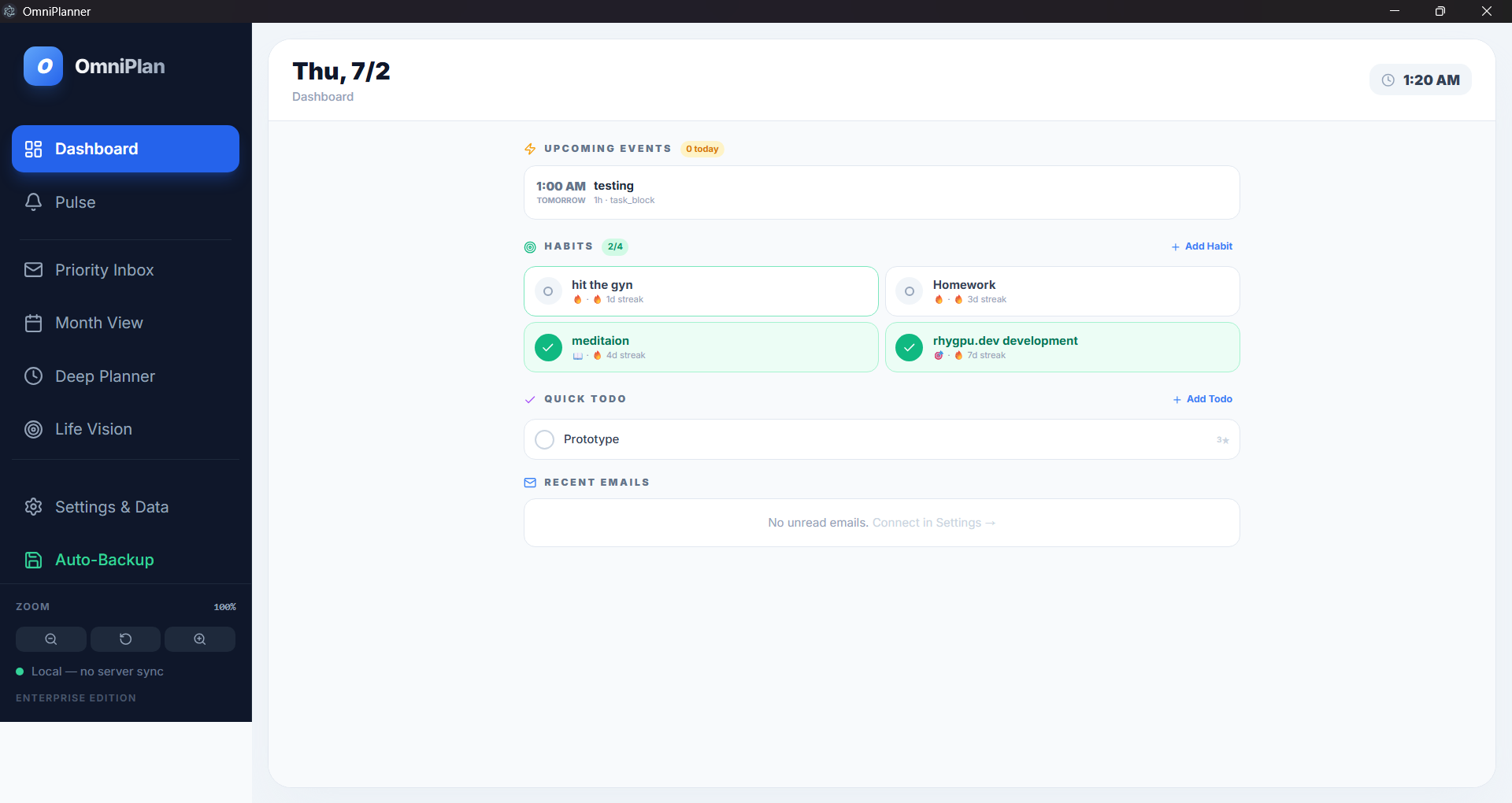
Daily execution surface combining events, habits, todos, email status, and local-only state in one desktop workspace.
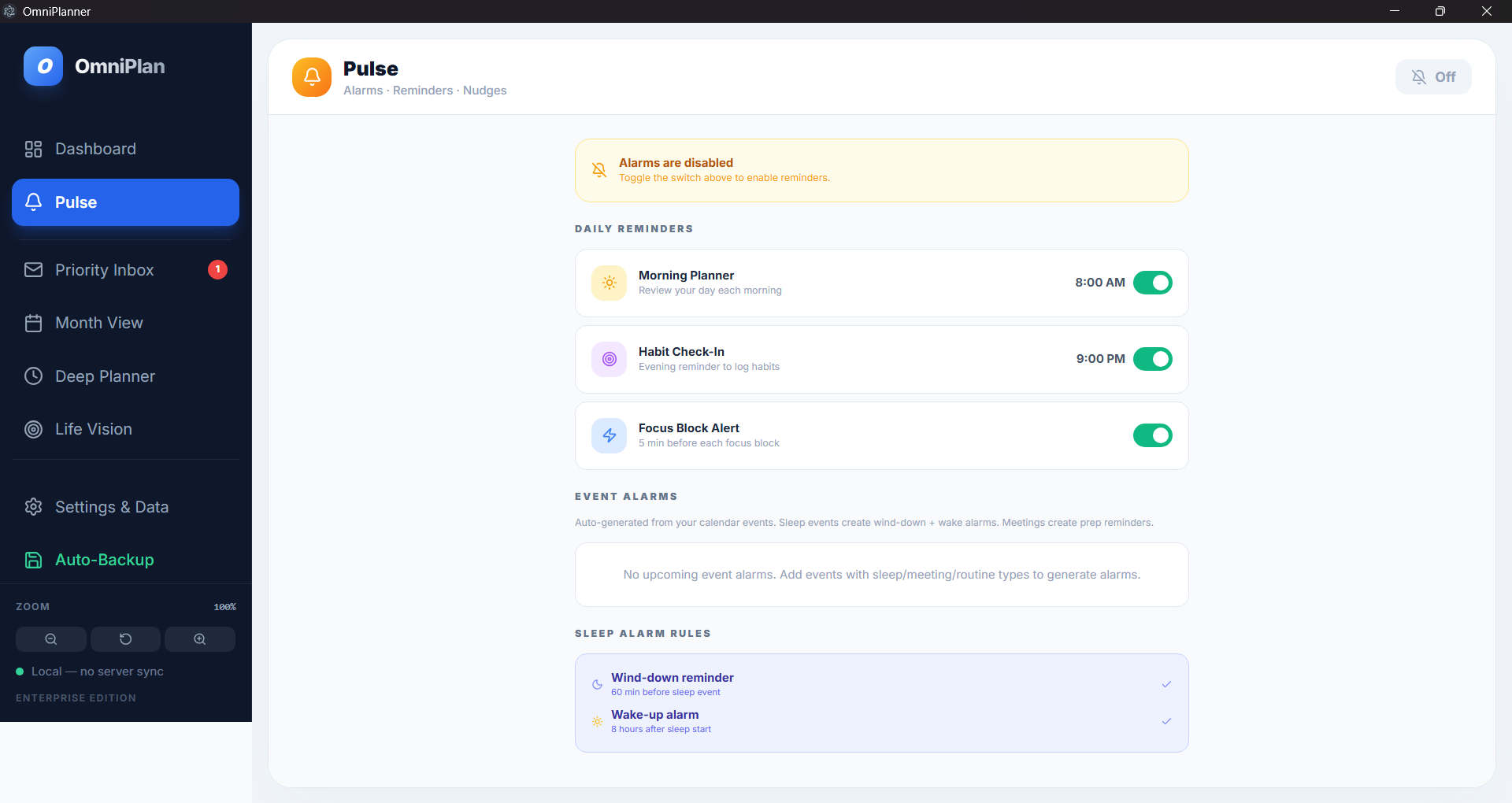
Reminder and nudge layer for morning planning, habit check-ins, focus alerts, and sleep-related routines.
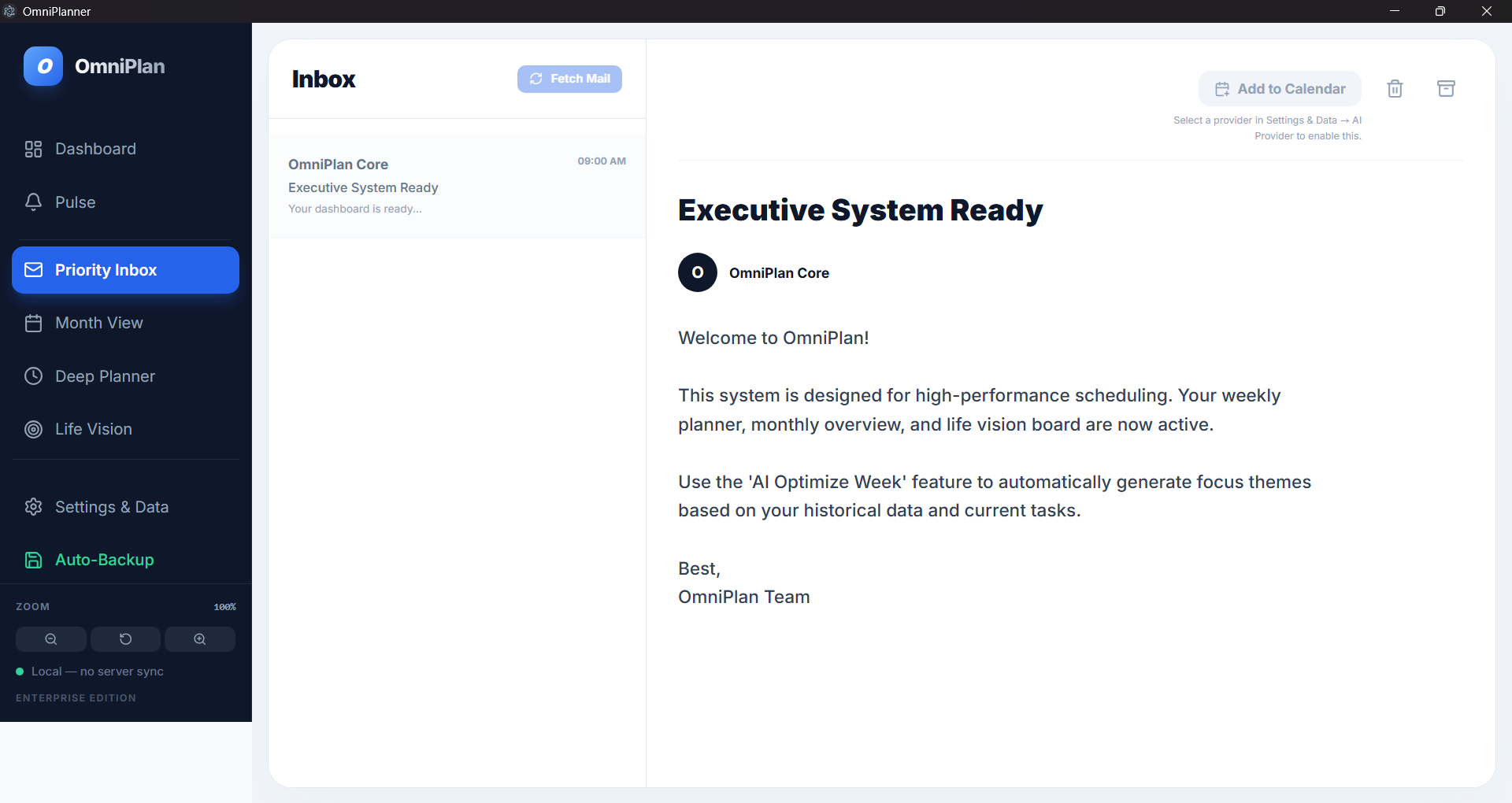
Inbox workflow for planning-relevant messages, with calendar actions gated by provider configuration instead of fake availability.
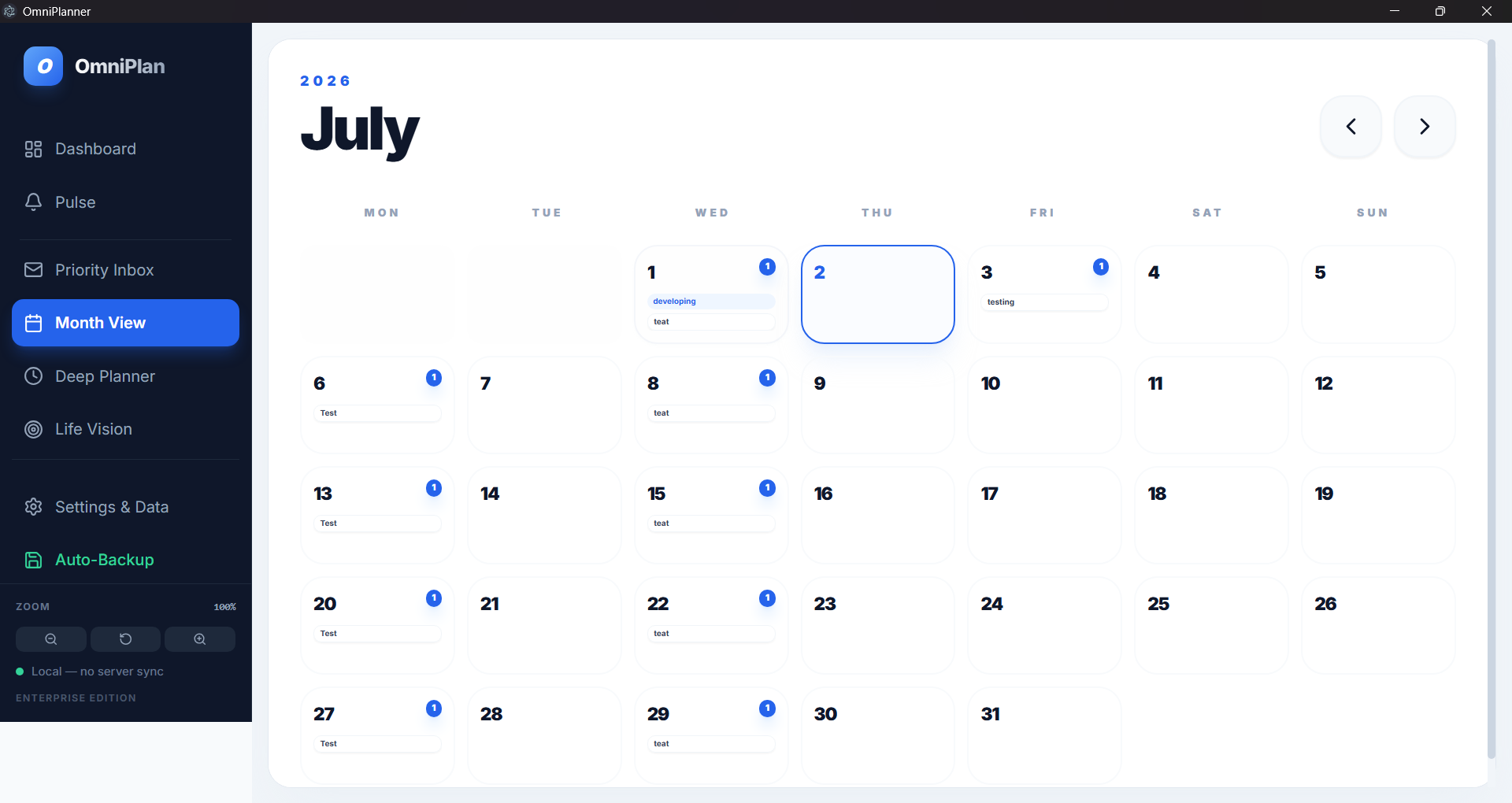
Month-level planning view for scanning scheduled work and task distribution across the calendar.
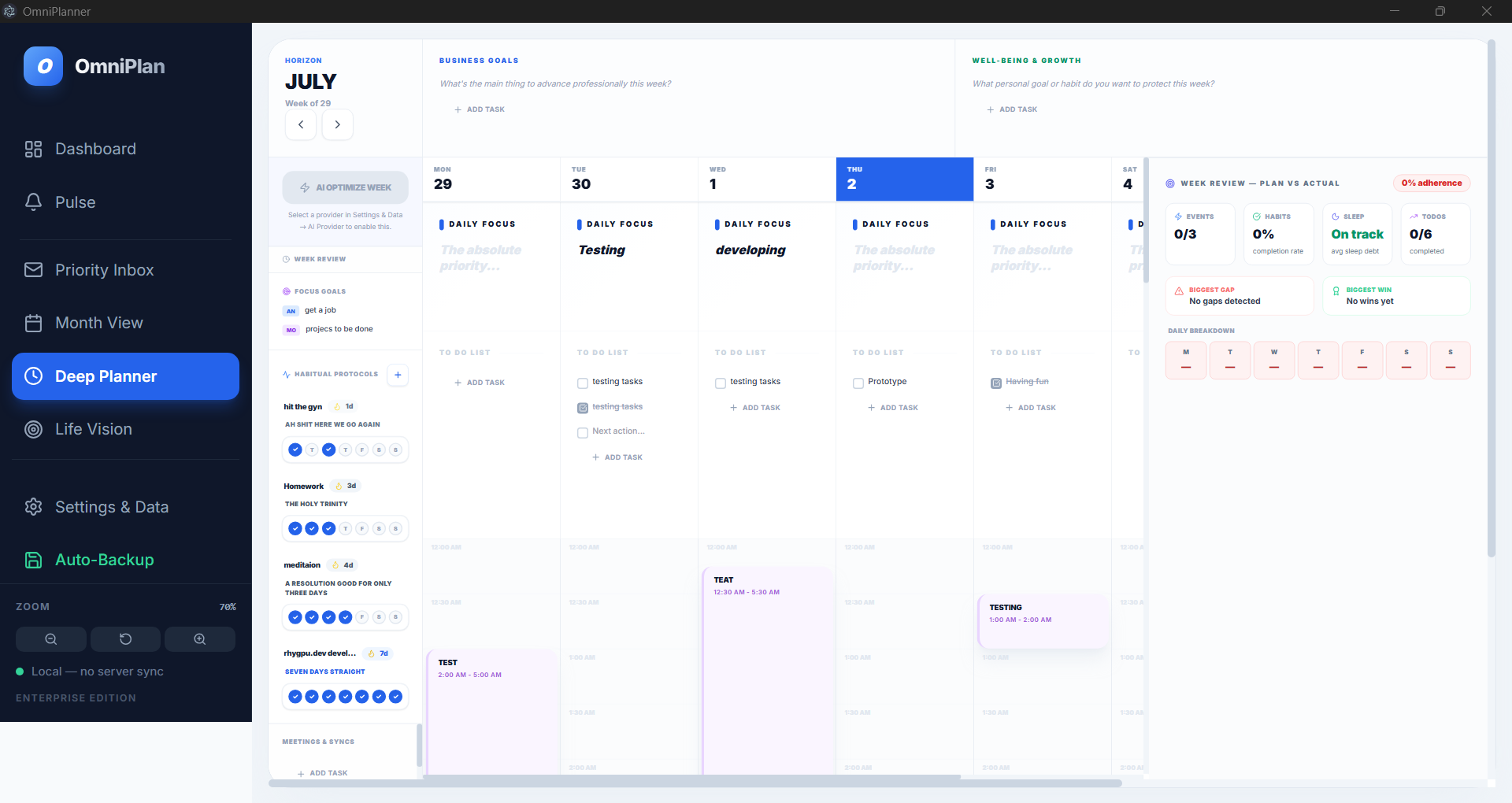
Weekly operating surface combining goals, focus, habits, todos, calendar blocks, and plan-versus-actual review.
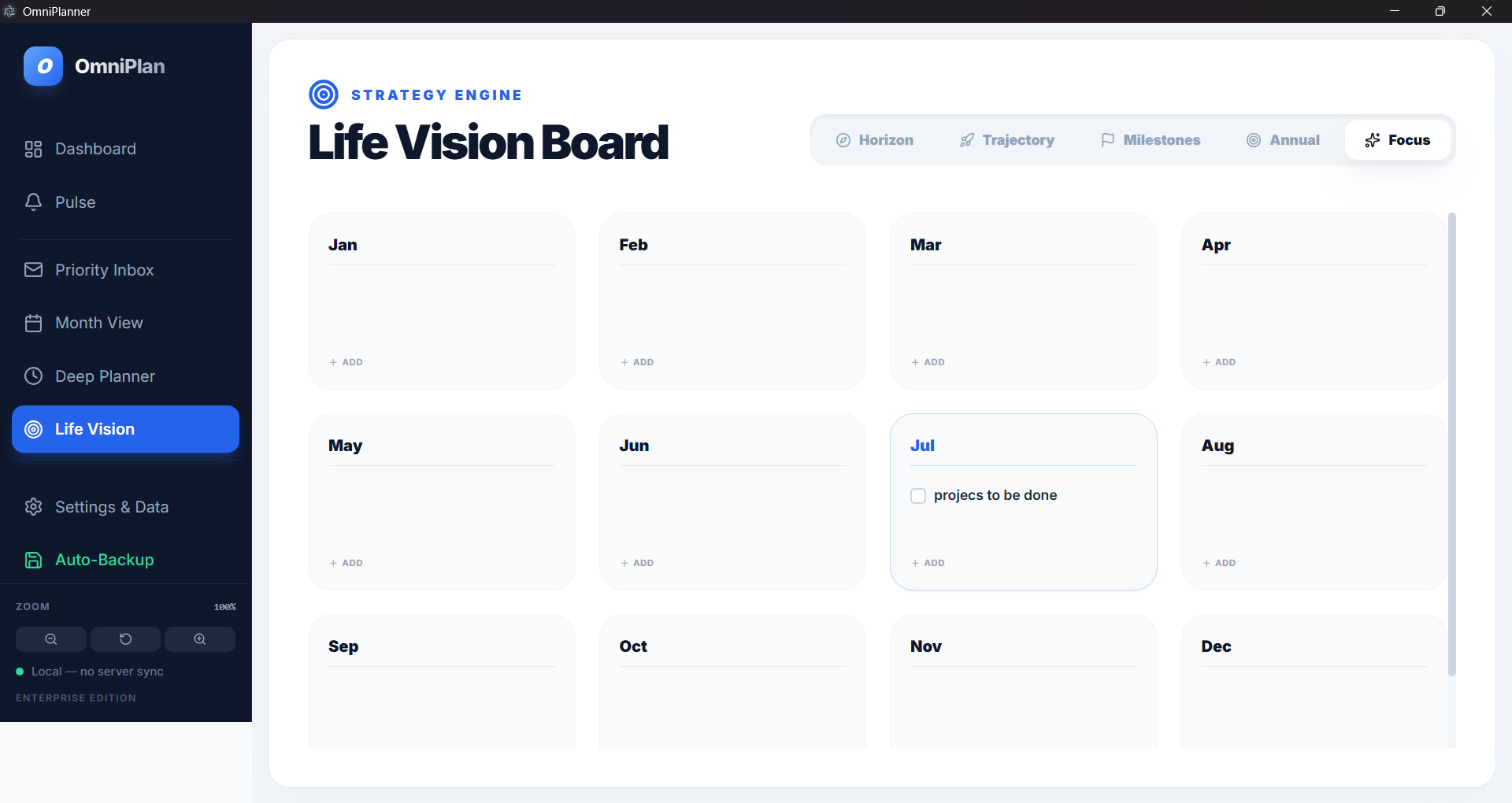
Longer-horizon planning surface for annual or monthly focus areas beyond the immediate week.
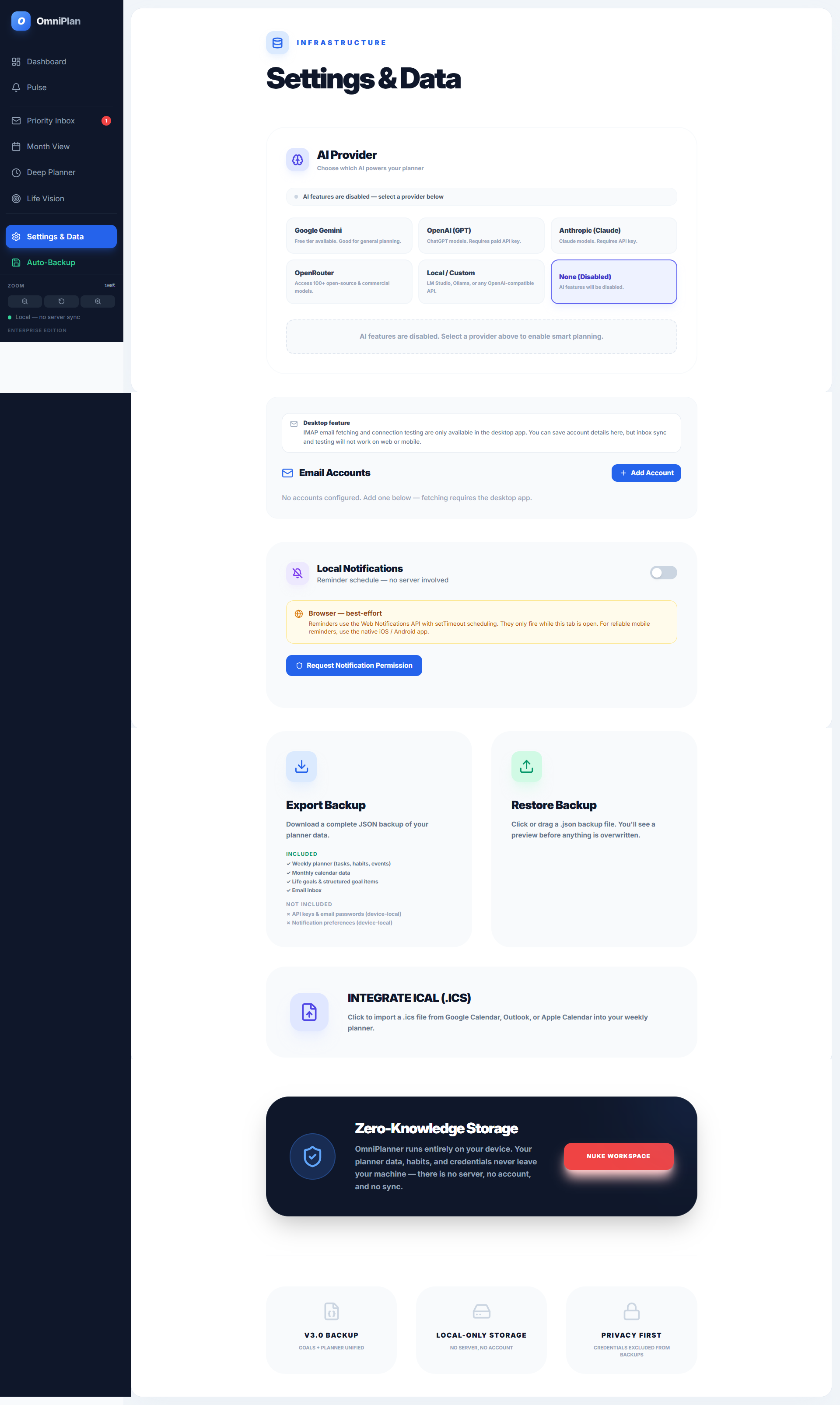
Local-first infrastructure view for provider setup, email connection, notifications, backup, restore, calendar import, and local storage messaging.
Proof Notes
Links